+++ /dev/null
-ceph-ansible
-============
-
-Ansible playbook for Ceph!
-
-Clone me:
-
-```bash
-git clone https://github.com/ceph/ceph-ansible.git
-```
-
-## What does it do?
-
-General support for:
-
-* Monitors
-* OSDs
-* MDSs
-* RGW
-
-More details:
-
-* Authentication (cephx), this can be disabled.
-* Supports cluster public and private network.
-* Monitors deployment. You can easily start with one monitor and then progressively add new nodes. So can deploy one monitor for testing purpose. For production, I recommend to always use an odd number of monitors, 3 tends to be the standard.
-* Object Storage Daemons. Like the monitors you can start with a certain amount of nodes and then grow this number. The playbook either supports a dedicated device for storing the journal or both journal and OSD data on the same device (using a tiny partition at the beginning of the device).
-* Metadata daemons.
-* Collocation. The playbook supports collocating Monitors, OSDs and MDSs on the same machine.
-* The playbook was validated on Debian Wheezy, Ubuntu 12.04 LTS and CentOS 6.4.
-* Tested on Ceph Dumpling and Emperor.
-* A rolling upgrade playbook was written, an upgrade from Dumpling to Emperor was performed and worked.
-
-
-## Configuring Ceph
-
-The supported method for defining your ceph.conf is to use the `ceph_conf_overrides` variable. This allows you to specify configuration options using
-an INI format. This variable can be used to override sections already defined in ceph.conf (see: `roles/ceph-common/templates/ceph.conf.j2`) or to provide
-new configuration options. The following sections in ceph.conf are supported: [global], [mon], [osd], [mds] and [rgw].
-
-An example:
-
-```
-ceph_conf_overrides:
- global:
- foo: 1234
- bar: 5678
- osd:
- osd mkfs type: ext4
-```
-
-### Note
-* It is not recommended to use underscores when defining options in the `ceph_conf_overrides` variable (ex. osd_mkfs_type) as this may cause issues with
-incorrect configuration options appearing in ceph.conf.
-* We will no longer accept pull requests that modify the ceph.conf template unless it helps the deployment. For simple configuration tweaks
-please use the `ceph_conf_overrides` variable.
-
-### Networking
-
-In any case, you must define `monitor_interface` variable with the network interface name which will carry the IP address in the `public_network` subnet.
-`monitor_interface` must be defined at least in `group_vars/all.yml` but it can be overrided in inventory host file if needed.
-You can specify for each monitor on which IP address it will bind to by specifying the `monitor_address` variable in the **inventory host file**.
-You can also use the `monitor_address_block` feature, just specify a subnet, ceph-ansible will automatically set the correct addresses in ceph.conf
-Preference will go to `monitor_address_block` if specified, then `monitor_address`, otherwise it will take the first IP address found on the network interface specified in `monitor_interface` by default.
-
-## Special notes
-
-If you are looking at deploying a Ceph version older than Jewel.
-It is highly recommended that you apply the following settings to your `group_vars/all.yml` file on the `ceph_conf_overrides` variable:
-
-```
-ceph_conf_overrides:
- osd:
- osd recovery max active: 5
- osd max backfills: 2
- osd recovery op priority: 2
- osd recovery threads: 1
-```
-
-https://github.com/ceph/ceph-ansible/pull/694 removed all the default options that were part of the repo.
-The goal is to keep the default from Ceph.
-Below you will find the configuration that was applied prior to the PR in case you want to keep using them:
-
-Setting | ceph-ansible | ceph
---- | --- | ---
-cephx require signatures | true | false
-cephx cluster require signatures | true | false
-osd pool default pg num | 128 | 8
-osd pool default pgp num | 128 | 8
-rbd concurrent management ops | 20 | 10
-rbd default map options | rw | ''
-rbd default format | 2 | 1
-mon osd down out interval | 600 | 300
-mon osd min down reporters | 7 | 1
-mon clock drift allowed | 0.15 | 0.5
-mon clock drift warn backoff | 30 | 5
-mon osd report timeout | 900 | 300
-mon pg warn max per osd | 0 | 300
-mon osd allow primary affinity | true | false
-filestore merge threshold | 40 | 10
-filestore split multiple | 8 | 2
-osd op threads | 8 | 2
-filestore op threads | 8 | 2
-osd recovery max active | 5 | 15
-osd max backfills | 2 | 10
-osd recovery op priority | 2 | 63
-osd recovery max chunk | 1048576 | 8 << 20
-osd scrub sleep | 0.1 | 0
-osd disk thread ioprio class | idle | ''
-osd disk thread ioprio priority | 0 | -1
-osd deep scrub stride | 1048576 | 524288
-osd scrub chunk max | 5 | 25
-
-If you want to use them, just use the `ceph_conf_overrides` variable as explained above.
-
-## FAQ
-
-1. I want to have OSD numbers seriallized between hosts, so the first OSD node has osd 1,2,3 and the second has osd 4,5,6 etc. How can I do this?
-Simply add `serial: 1` after the osd section `- hosts: osds` in your `site.yml` file.
-
-## Setup with Vagrant using virtualbox provider
-
-* Create vagrant_variables.yml
-
-```
-$ cp vagrant_variables.yml.sample vagrant_variables.yml
-```
-
-* Create site.yml
-
-```
-$ cp site.yml.sample site.yml
-```
-
-* Create VMs
-
-```
-$ vagrant up --no-provision --provider=virtualbox
-$ vagrant provision
-...
-...
-...
- ____________
-< PLAY RECAP >
- ------------
- \ ^__^
- \ (oo)\_______
- (__)\ )\/\
- ||----w |
- || ||
-
-
-mon0 : ok=16 changed=11 unreachable=0 failed=0
-mon1 : ok=16 changed=10 unreachable=0 failed=0
-mon2 : ok=16 changed=11 unreachable=0 failed=0
-osd0 : ok=19 changed=7 unreachable=0 failed=0
-osd1 : ok=19 changed=7 unreachable=0 failed=0
-osd2 : ok=19 changed=7 unreachable=0 failed=0
-rgw : ok=20 changed=17 unreachable=0 failed=0
-```
-
-Check the status:
-
-```bash
-$ vagrant ssh mon0 -c "sudo ceph -s"
- cluster 4a158d27-f750-41d5-9e7f-26ce4c9d2d45
- health HEALTH_OK
- monmap e3: 3 mons at {ceph-mon0=192.168.0.10:6789/0,ceph-mon1=192.168.0.11:6789/0,ceph-mon2=192.168.0.12:6789/0}, election epoch 6, quorum 0,1,2 ceph-mon0,ceph-mon1,ceph-mon
- mdsmap e6: 1/1/1 up {0=ceph-osd0=up:active}, 2 up:standby
- osdmap e10: 6 osds: 6 up, 6 in
- pgmap v17: 192 pgs, 3 pools, 9470 bytes data, 21 objects
- 205 MB used, 29728 MB / 29933 MB avail
- 192 active+clean
-```
-
-To re-run the Ansible provisioning scripts:
-
-```bash
-$ vagrant provision
-```
-
-## Specifying fsid and secret key in production
-
-The Vagrantfile specifies an fsid for the cluster and a secret key for the
-monitor. If using these playbooks in production, you must generate your own `fsid`
-in `group_vars/all.yml` and `monitor_secret` in `group_vars/mons.yml`. Those files contain
-information about how to generate appropriate values for these variables.
-
-## Specifying package origin
-
-By default, ceph-common installs from Ceph repository. However, you
-can set `ceph_origin` to "distro" to install Ceph from your default repository.
-
-## Setup for Vagrant using libvirt provider
-
-* Create vagrant_variables.yml
-
-```
-$ cp vagrant_variables.yml.sample vagrant_variables.yml
-```
-
-* Edit `vagrant_variables.yml` and setup the following variables:
-
-```yml
-memory: 1024
-disks: "[ '/dev/vdb', '/dev/vdc' ]"
-vagrant_box: centos/7
-```
-
-* Create site.yml
-
-```
-$ cp site.yml.sample site.yml
-```
-
-* Create VMs
-
-```
-$ sudo vagrant up --no-provision --provider=libvirt
-$ sudo vagrant provision
-```
-
-## Setup for Vagrant using parallels provider
-
-* Create vagrant_variables.yml
-
-```
-$ cp vagrant_variables.yml.sample vagrant_variables.yml
-```
-
-* Edit `vagrant_variables.yml` and setup the following variables:
-
-```yml
-vagrant_box: parallels/ubuntu-14.04
-```
-
-* Create site.yml
-
-```
-$ cp site.yml.sample site.yml
-```
-
-* Create VMs
-
-```
-$ vagrant up --no-provision --provider=parallels
-$ vagrant provision
-```
-
-### For Debian based systems
-
-If you want to use "backports", you can set "true" to `ceph_use_distro_backports`.
-Attention, ceph-common doesn't manage backports repository, you must add it yourself.
-
-### For Atomic systems
-
-If you want to run containerized deployment on Atomic systems (RHEL/CentOS Atomic), please copy
-[vagrant_variables.yml.atomic](vagrant_variables.yml.atomic) to vagrant_variables.yml, and copy [group_vars/all.docker.yml.sample](group_vars/all.docker.yml.sample) to `group_vars/all.yml`.
-
-Since `centos/atomic-host` VirtualBox box doesn't have spare storage controller to attach more disks, it is likely the first time `vagrant up --provider=virtualbox` runs, it will fail to attach to a storage controller. In such case, run the following command:
-
-```console
-VBoxManage storagectl `VBoxManage list vms |grep ceph-ansible_osd0|awk '{print $1}'|tr \" ' '` --name "SATA" --add sata
-```
-
-then run `vagrant up --provider=virtualbox` again.
-
-## Setup for Vagrant using OpenStack provider
-
-Install the Vagrant plugin for the openstack provider: `vagrant plugin install vagrant-openstack-provider`.
-
-```bash
-$ cp site.yml.sample site.yml
-$ cp group_vars/all.docker.yml.sample group_vars/all.yml
-$ cp vagrant_variables.yml.openstack vagrant_variables.yml
-```
-* Edit `vagrant_variables.yml`:
- Set `mon_vms` and `osd_vms` to the numbers you want.
- If you are using an Atomic image, un-comment out the `skip_tags` line.
- Un-comment the `os_` lines.
- Set `os_ssh_username` to 'centos' for Centos and 'cloud-user' for
- RHEL images.
- Set `os_ssh_private_key_path` to '~/.ssh/id_rsa'
- Set `os_openstack_auth_url` to the auth url of your Open Stack cloud
- Set `os_username` and `os_password` to what you provided for Open Stack
- registration or leave them as ENV vars if you have set the
- corresponding env vars for your user.
- Set `os_tenant_name` to your Open Stack cloud project name.
- Set `os_region` to your Open Stack cloud region name.
- Set `os_flavor` to 'm3.medium'. This size has ephemeral storage that will
- be used by the OSD for the /dev/vdb disk
- Set the `os_image` to an image found in the Images list in the Open Stack
- cloud Dashboard (i.e. 'centos-atomic-host').
- Set the `os_keypair_name` to the keypair name you used when you did the
- Open Stack registration.
-```
-$ vagrant up --provider=openstack
-```
-Once the playbook is finished, you should be able to do `vagrant ssh mon0` or
-`vagrant ssh osd0` to get to the VMs.
-`sudo docker ps` should show the running containers
-When you are done, use `vagrant destroy` to get rid of the VMs. You should
-also remove the associated entries in .ssh/known_hosts so that if the IP
-addresses get reused by future Open Stack Cloud instances there will not be
-old known_hosts entries.
-
-# Want to contribute?
-
-Read this carefully then :).
-The repository centralises all the Ansible roles.
-The roles are all part of the Galaxy.
-We love contribution and we love giving visibility to our contributors, this is why all the **commits must be signed-off**.
-
-## Tools
-### Mailing list
-Please register the mailing list at http://lists.ceph.com/listinfo.cgi/ceph-ansible-ceph.com
-
-### IRC
-Feel free to join us in the channel #ceph-ansible of the OFTC servers
-
-### Github
-The maing github account for the project is at https://github.com/ceph/ceph-ansible/
-
-## Submit a patch
-
-To start contributing just do:
-
-```
-$ git checkout -b my-working-branch
-$ # do your changes #
-$ git add -p
-```
-
-One more step, before pushing your code you should run a syntax check:
-
-```
-$ ansible-playbook -i dummy-ansible-hosts test.yml --syntax-check
-```
-
-If your change impacts a variable file in a role such as `roles/ceph-common/defaults/main.yml`, you need to generate a `group_vars` file:
-
-```
-$ ./generate_group_vars_sample.sh
-```
-
-You are finally ready to push your changes on Github:
-
-```
-$ git commit -s
-$ git push origin my-working-branch
-```
-
-Worked on a change and you don't want to resend a commit for a syntax fix?
-
-```
-$ # do your syntax change #
-$ git commit --amend
-$ git push -f origin my-working-branch
-```
-
-# Testing PR
-
-Go on the github interface and submit a PR.
-
-Now we have 2 online CIs:
-
-* Travis, simply does a syntax check
-* Jenkins Ceph: bootstraps one monitor, one OSD, one RGW
-
-If Jenkins detects that your commit broke something it will turn red.
-You can then check the logs of the Jenkins by clicking on "Testing Playbooks" button in your PR and go to "Console Output".
-You can now submit a new commit/change that will update the CI system to run a new play.
-
-It might happen that the CI does not get reloaded so you can simply leave a comment on your PR with "test this please" and it will trigger a new CI build.
-
-# Backporting changes
-
-If a change should be backported to a `stable-*` Git branch:
-
-* Mark your PR with the GitHub label "Backport" so we don't lose track of it.
-* Fetch the latest updates into your clone: `git fetch`
-* Determine the latest available stable branch:
- `git branch -r --list "origin/stable-[0-9].[0-9]" | sort -r | sed 1q`
-* Create a new local branch for your PR, based on the stable branch:
- `git checkout --no-track -b my-backported-change origin/stable-2.2`
-* Cherry-pick your change: `git cherry-pick -x (your-sha1)`
-* Create a new pull request against the `stable-2.2` branch.
-* Ensure that your PR's title has the prefix "backport:", so it's clear
- to reviewers what this is about.
-* Add a comment in your backport PR linking to the original (master) PR.
-
-All changes to the stable branches should land in master first, so we avoid
-regressions.
-
-Once this is done, one of the project maintainers will tag the tip of the
-stable branch with your change. For example:
-
-```
-git checkout stable-2.2
-git pull --ff-only
-git tag v2.2.5
-git push origin v2.2.5
-```
-
-You can query backport-related items in GitHub:
-* [all PRs labeled as backport candidates](https://github.com/ceph/ceph-ansible/pulls?q=is%3Apr%20label%3Abackport). The "open" ones must be merged to master first. The "closed" ones need to be backported to the stable branch.
-* [all backport PRs for stable-2.2](https://github.com/ceph/ceph-ansible/pulls?q=base%3Astable-2.2)
- to see if a change has already been backported.
-
-## Vagrant Demo
-
-[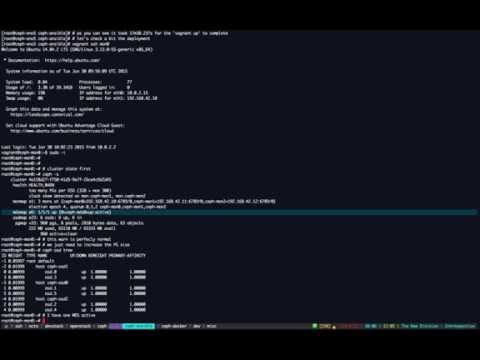](https://youtu.be/E8-96NamLDo "Deploy Ceph with Ansible (Vagrant demo)")
-
-
-## Bare metal demo
-
-Deployment from scratch on bare metal machines:
-
-[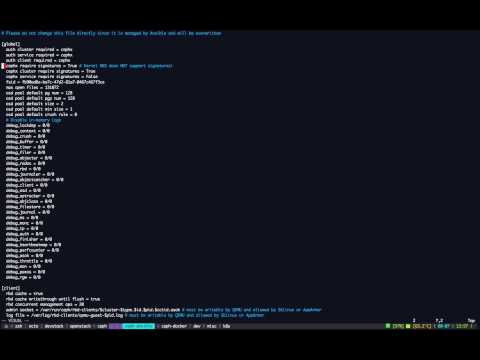](https://youtu.be/dv_PEp9qAqg "Deploy Ceph with Ansible (Bare metal demo)")
 projects / ceph-ansible.git / commitdiff